Choose the radio.
Start with your preferred network device and management ecosystem, or let us help identify a suitable option.
Bring Your Own Network Device.
Your radio today. Room to evolve tomorrow.
A portable case platform that adapts to your network. Choose your radio, shape the configuration, and keep your options open as equipment and requirements change.
11 case colors available · Your custom logo
Your case should have a useful life beyond the radio you install first.
BYOND is designed to work with different cellular radios in its class. Rather than building the entire solution around one fixed router model, Digital Navigator adapts the mounting, power, connections, and antenna arrangement to the selected equipment.
That gives you a practical path to reuse and update the platform—whether you change radio brands, need different antennas, or want a new configuration for a different job.
Start with your preferred network device and management ecosystem, or let us help identify a suitable option.
Match the enclosure integration, power, antenna connections, and accessible ports to the way you will use it.
Plan for radio replacements, antenna changes, and future reconfiguration instead of treating the first build as the last.
Make your portable network look like it belongs to your business.
Choose from 11 available case colors and add your custom logo. BYOND gives you a choice in how your system looks as well as the radio and equipment inside it.
Ask us about the 11 available colors and select the look that fits your company, team, or deployment.
Add your company or organization’s custom logo for a portable system that carries your identity wherever it goes.
Tell us your color preference and provide your logo when discussing the configuration. We’ll confirm the branding details with you.
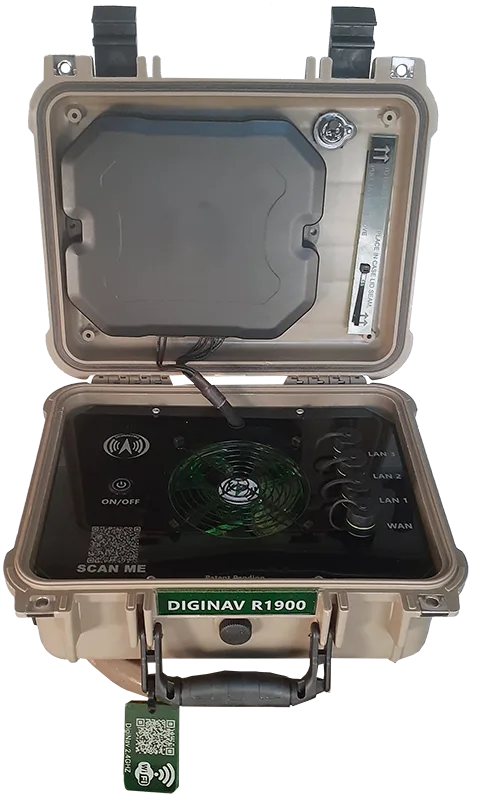
These are examples of radios installed in BYOND configurations. They show the platform’s flexibility, rather than five separate case designs locked to five individual devices.
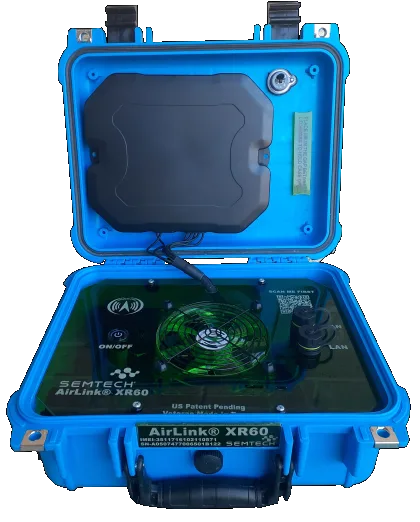
An XR60 installation brings Semtech’s compact cellular router into the BYOND case platform. A useful starting point for teams that want a portable system built around the AirLink ecosystem.
Discuss this configuration →Bring an R1900-based network to a temporary office, event, or field deployment. BYOND packages the radio, antenna connections, and power integration into a portable system while keeping a path open for later changes.
Discuss this configuration →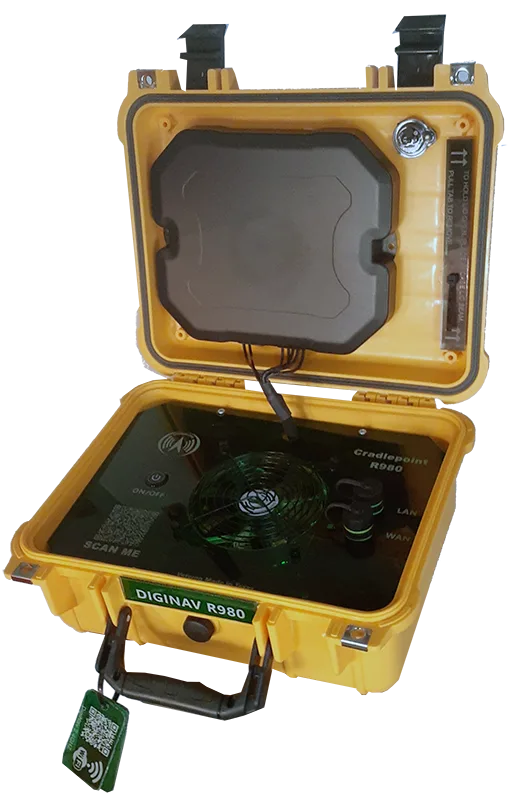
The R980 configuration is another example of BYOND’s adaptable approach. Choose the router that suits your deployment and management requirements, then build the case integration around it.
Discuss this configuration →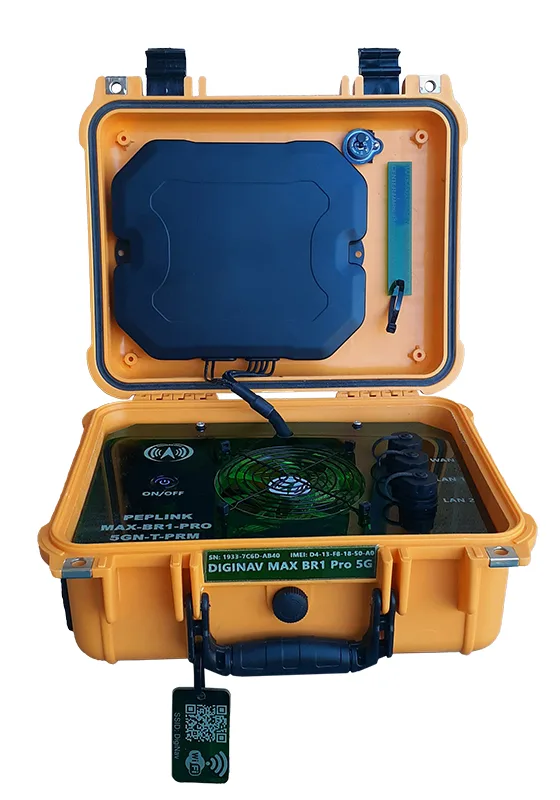
Prefer the Peplink ecosystem? This BYOND configuration makes the MAX BR1 Pro 5G a portable networking solution for events, remote work, and mobile operations. Integration can be tailored to the connections your team needs.
Discuss this configuration →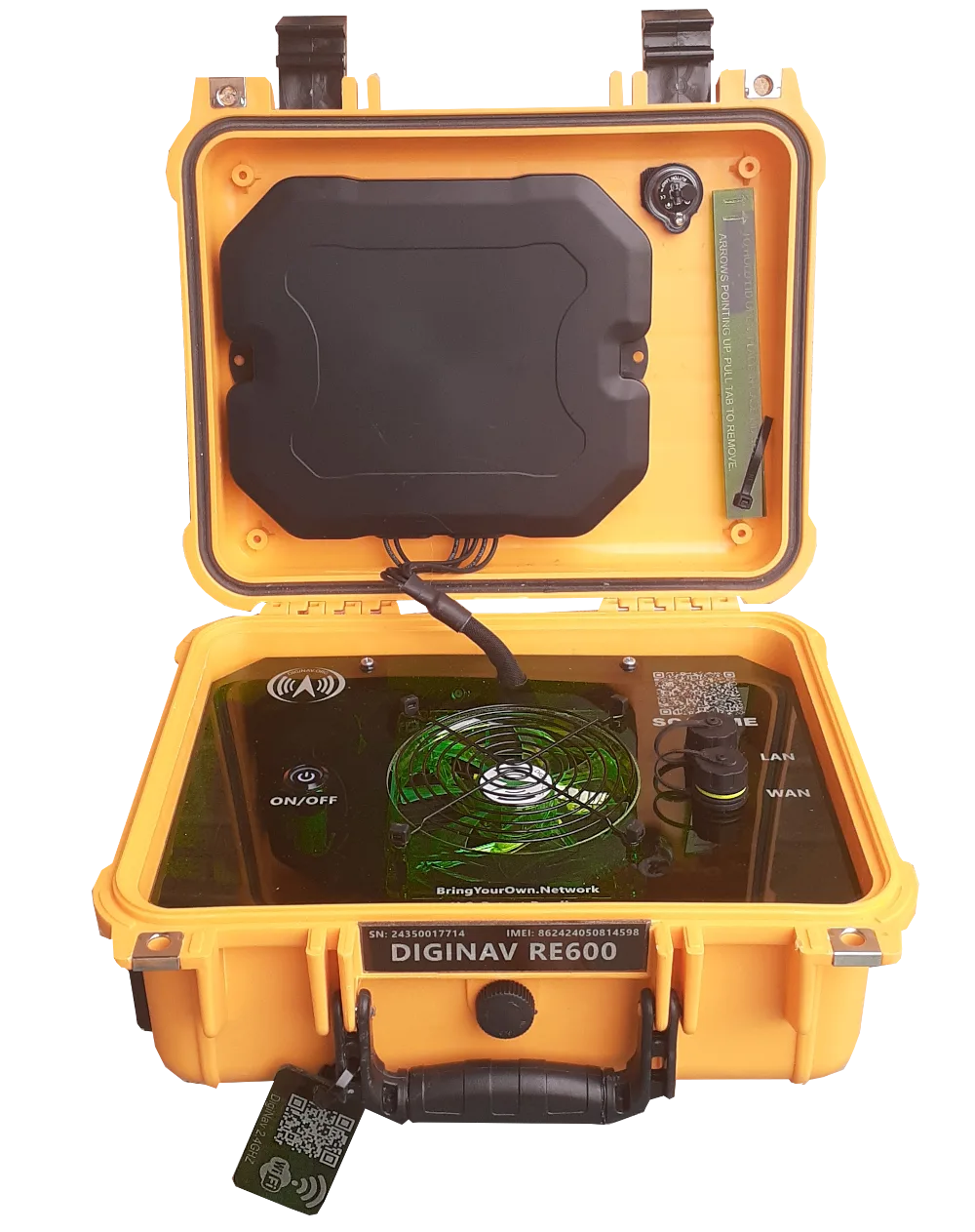
The RE600 configuration takes a value-focused approach to portable cellular internet. It pairs an ATEL radio with a semi-rugged case configuration for customers who want the protection and features their application actually calls for.
Discuss this configuration →Have a different radio in mind? Ask us about it. Compatibility is confirmed against the device’s dimensions, mounting, power, cooling, connectors, and antenna requirements. Features, network performance, and management services depend on the selected radio and configuration.
Start with the network you need now. Revisit the radio, antennas, or integration as your work changes.
A future router replacement can be evaluated for the same BYOND platform. Mounting, cabling, and power integration can be revised to suit the new hardware.
Antenna arrangements can change over time to suit supported bands, connector requirements, placement, and the coverage needs of a new application.
Revisit power arrangements, cable routing, and network access as the case moves between applications or your team’s operating needs grow.
Radio agnostic means adaptable, not a universal drop-in fit. Some upgrades require new mounting, antennas, power components, or enclosure work. DigiNav reviews the proposed change before confirming the upgrade path.
Digital Navigator makes two case configurations: the BYOND series and the 5GIRL series. Both are radio agnostic, with configuration and upgrade options evaluated for the selected hardware.
Bring Your Own Network Device. A flexible integration approach for the cellular radio you choose, demonstrated here with Semtech, Ericsson Cradlepoint, Peplink, and ATEL installations.
Explore BYOND configurations ↑A second portable case family with the same adaptable philosophy. Select the radio and case configuration that fit your deployment, with the ability to evaluate changes over time.
Explore 5GIRL Mini →Already own the radio? Starting from scratch? We can help define the right path for your BYOND build.
Tell us the exact model you own. We will review it for integration and work through the connections and power you need.
Work with DigiNav to select a suitable radio and case configuration for a ready-to-deploy portable network.
Discuss a radio replacement, antenna change, or new application for a case already in service.
BYOND is designed to accommodate a range of radios in its class. We confirm each model’s physical fit, power needs, mounting, cooling, and antenna connections before agreeing on a configuration. The five installations above are examples, not the limit of the platform.
That flexibility is part of the BYOND approach. A different radio can be evaluated for your existing case. The change may require revised mounting, cabling, power components, or antennas.
Yes. Antenna changes can be evaluated as part of a new build or a later reconfiguration. The appropriate choice depends on the radio, supported frequencies, connections, and how you plan to deploy the case.
No. Protection depends on the selected enclosure, radio, connections, and final build. The ATEL RE600 example is a semi-rugged configuration. We match the build to the application rather than assuming every customer needs the same protection level.
Yes. BYOND cases are available in 11 colors, and custom logo branding is available. Share your preferred color and logo with DigiNav so we can confirm the details for your build.
The radio make and model, how and where you will use it, required wired and wireless connections, power needs, any antenna preferences, your preferred case color, and your custom logo if you would like branding. If you are updating an existing case, include photos and its current configuration.
Choose your color, add your logo, and tell us what your network needs to do. We’ll help shape a BYOND configuration with a practical path forward.
(469) 389-0189